A precision Windows MIDI control station, diagnostic packet monitor, master 24-PPQN clock, and driver-free practice lab designed for touring keyboardists, guitarists, and studio engineers.
Watch the complete narrated technical overview. Explains the practical stage challenge, command station ergonomics, dual-mode practice routing, receiver verification, and physical hardware discovery.
Every feature in PulseStage is built to give performers total visibility, deterministic transmission, and unambiguous diagnostics.
Send Program Changes with selectable 0–127 and 1–128 indexing conventions without altering wire bytes. Full Bank Select support (CC0 MSB + CC32 LSB) and tactile continuous controller editing with explicit send protection.
Ultra-stable real-time clock generation with Start, Continue, and Stop transport commands. Tap tempo capability, fractional BPM adjustments (40–300 BPM), and live arrival interval tracking to detect host-scheduling jitter.
Inspect every incoming and outgoing MIDI byte with microsecond timestamps, port directionality, and channel filtering. Features live CC activity curves and clock interval graphs, with instant CSV, JSON, and text session exports.
Test and practice complex presets without physical gear or third-party loopback drivers. On-screen velocity keybed triggers notes into the monitor, while the reference pedal accurately visualizes incoming PC, CC11, CC7, and footswitch status.
Build multi-step automated cue sequences with deterministic millisecond delays, ensuring vintage synthesizers and digital modelers have ample time to process sound patches before receiving controller updates.
Four rigorous automated diagnostic checks: Keybed Note On/Off, Preset Change, Parameter CC, and 120 BPM Clock tracking. Tests only turn green when arrival bytes are confirmed at the receiving port, eliminating false positives.
Designed with the tactile clarity of professional outboard studio equipment.
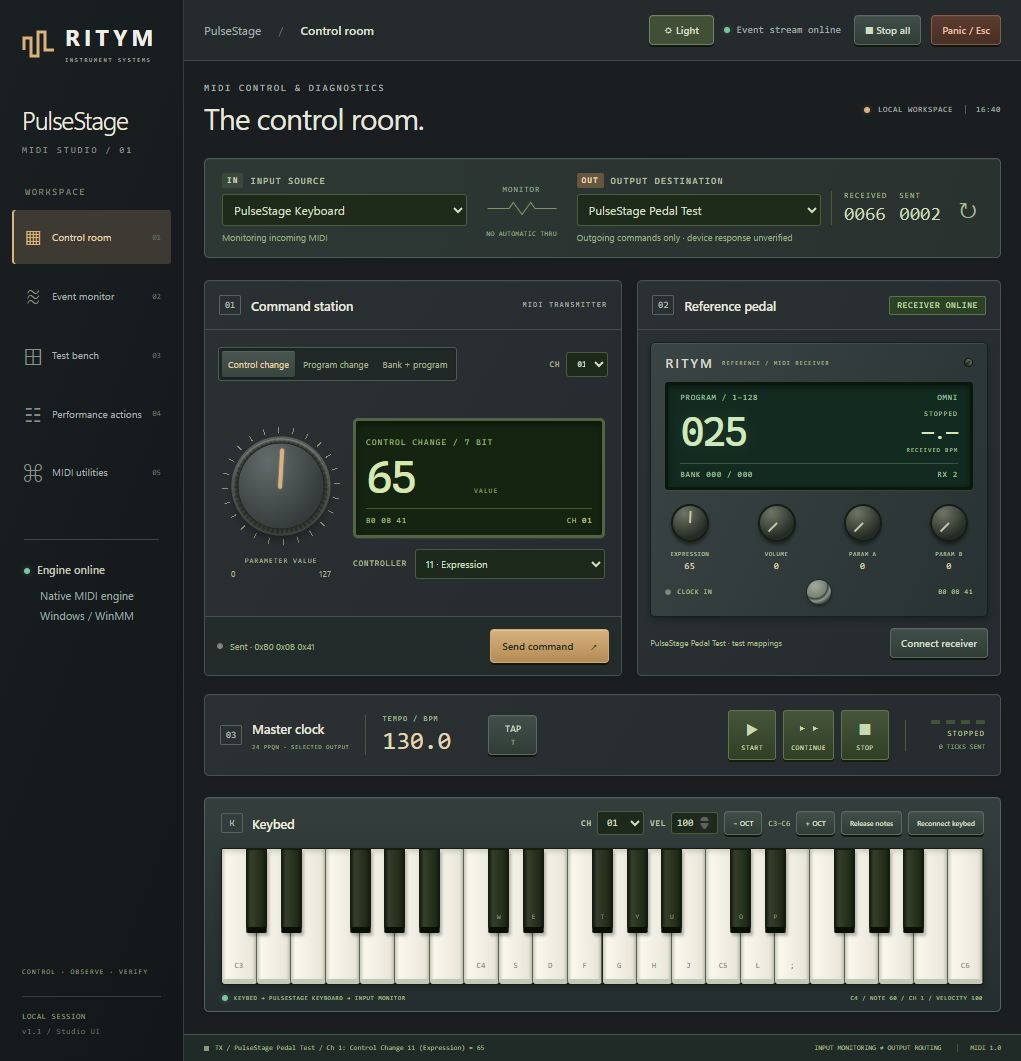
High-contrast, low-glare visual system tailored for arena stages, dim orchestra pits, and night festival performances.
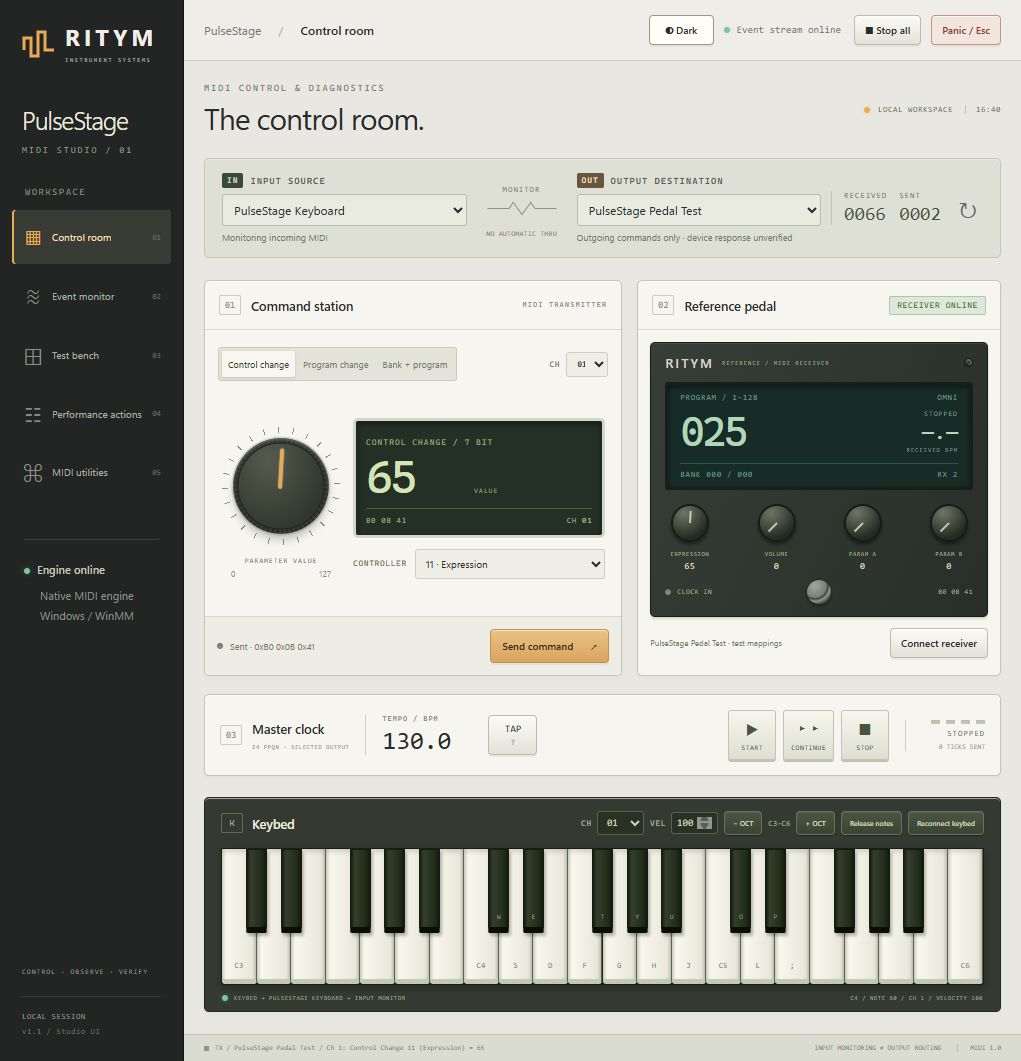
Crisp, sunlight-readable studio palette designed for daytime rehearsal rooms, broadcast control booths, and outdoor stages.
Fully bundled, standalone Windows setup executable. Installs clean binaries, creates Start menu & desktop shortcuts, and preserves all your presets in AppData.
Download Setup Executable (126 MB)| Target Platform | Windows 10 / 11 (64-bit) |
| MIDI Driver Subsystem | Native Windows WinMM |
| Timing Engine | 24-PPQN Master Clock |
| Practice Lab | Internal Driver-Free |
| User Presets | %APPDATA%\PulseStage |
| License | MIT Open Software License |